
Reliable user authentication is critical for any web app. To ensure ScubaSnap’s login process works flawlessly, I built an automated login smoke test using Selenium WebDriver.
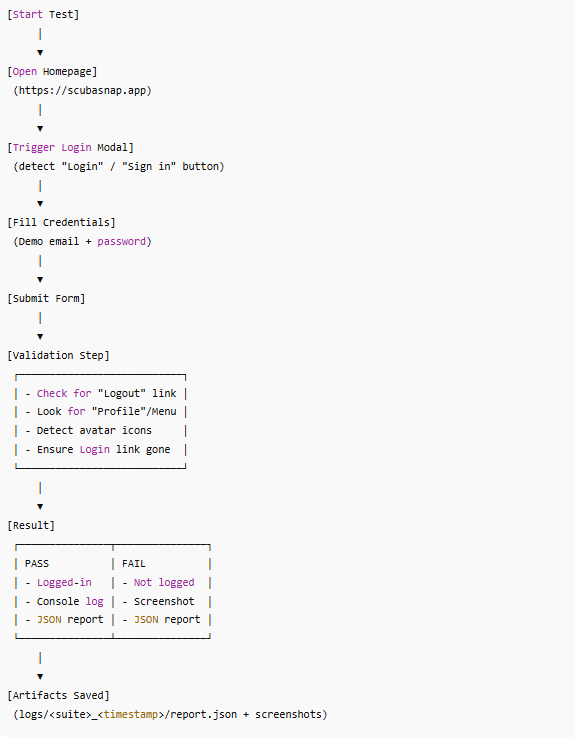
The test simulates a real user journey:
-
Open the homepage (https://scubasnap.app/).
-
Locate and trigger the login modal.
-
Fill in demo account email and password.
-
Submit the form and detect whether the app transitions into a logged-in state.
-
On failure, capture a screenshot and structured JSON log for debugging.
Key features:
-
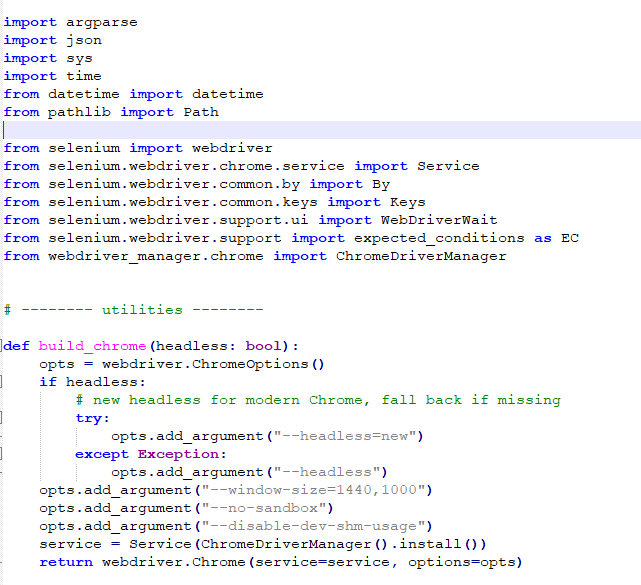
Works in headless or headful mode for flexible testing.
-
Detects multiple login states (Logout, Profile, avatar icons, missing login links).
-
Resilient field detection: supports different selectors and Bootstrap-based modals.
-
Writes logs and screenshots to a timestamped run directory for reproducibility.
-
Exits with clear PASS/FAIL codes for CI/CD pipelines.
This project demonstrates how automated smoke testing ensures critical user flows remain functional after updates, helping developers catch issues before they affect users.
Have an idea that needs to work?
Discuss the next practical step with De Wilde ICT Solutions.
Contact us